Core Purpose: The Key Difference
In web development and software engineering, we frequently convert strings or raw data from one format into another. Two of the most common encoding systems are Base64 and URL encoding (also known as Percent encoding).
While both translate inputs into safe, alphanumeric ASCII strings, their design goals and use cases are completely different.
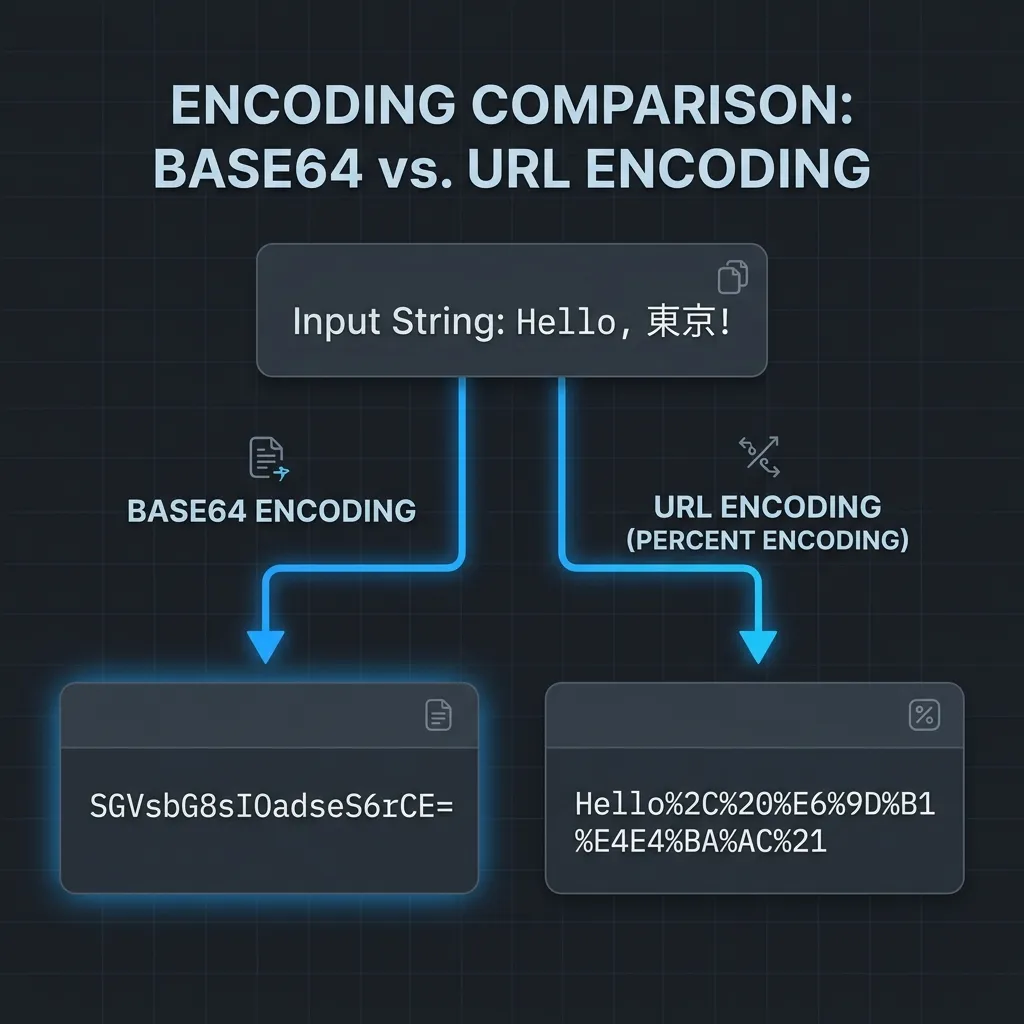
- Base64: Used to translate image files, PDFs, or arbitrary strings into a text representation so that binary data can be sent safely through text-only mediums (like emails or JSON payloads) without corruption.
- URL Encoding (Percent Encoding): Used to escape non-ASCII characters (like Japanese or emojis), spaces, and reserved symbols that have structural meaning in a URL (like
?and&), ensuring web browsers and servers can parse the address correctly.
At a Glance
| Feature | Base64 | URL Encoding (Percent Encoding) |
|---|---|---|
| Primary Target Data | Binary files (images, PDFs, keys) or raw strings | URL paths, query parameters, and web addresses |
| Core Goal | Turn binary data into safe ASCII text for transfer | Escape invalid or structural characters in a URL |
| Characters Used | A-Z, a-z, 0-9, +, / (and = for padding) |
A-Z, a-z, 0-9, -, _, ., !, ~, *, ', (, ) and %XX (hex) |
| Size Overhead | Increases data size by about 33% | No changes for basic English. Non-ASCII characters (like UTF-8) increase up to 300% |
| Typical Use Cases | Email attachments, inline images in CSS, Basic Auth headers, JWT | Sending form search queries, standardizing non-English URLs |
Base64: Mechanics and Use Cases
Base64 works by representing any block of data using a set of 64 characters: uppercase letters, lowercase letters, digits, and the symbols + and /. The = sign is appended at the end to signify alignment padding.
It reads data in chunks of 3 bytes (24 bits) and splits them into 4 separate 6-bit values. Each 6-bit value is then mapped to its corresponding character in the Base64 alphabet.
Crucial Note: Standard Base64 Can Break URLs
The symbols +, /, and = have special meanings in URLs. If you paste a standard Base64-encoded string into a URL parameter, a web server might interpret the + as a space or get confused by the / path separator.
To solve this, developers use URL-safe Base64, which swaps + for - and / for _, and typically drops the padding = characters.
Typical Use Cases
- Basic Authentication: The client joins username and password as
username:password, encodes the string to Base64, and sends it in the HTTP header:Authorization: Basic <base64>. - Data URIs (Inline Images): Encoding small icon graphics to Base64 and placing them directly in CSS or HTML (
data:image/png;base64,...) to reduce the number of HTTP requests. - Binary Payloads in APIs: Transmitting signature files, certificates, or binary attachments within JSON API payloads.
- Try on Torinoa: Base64 Encode / Decode
URL Encoding (Percent Encoding): Mechanics
URL encoding and Percent encoding refer to the same standard.
The official URI specification dictates that only certain “unreserved” characters (such as alphanumeric characters, -, _, ., and ~) can sit safely in a URL. All other characters—including spaces, emojis, and non-ASCII letters—must be converted to their byte values (usually UTF-8) and written in a %XX format (where XX is the hexadecimal representation of the byte).
The Difference: encodeURI vs. encodeURIComponent
When coding URL encoding in languages like JavaScript, you must choose between two distinct functions:
encodeURI(for complete URLs): Leaves structural characters like:,/,?,&, and=unaffected. It only encodes characters that are invalid anywhere in a URL (e.g., spaces and non-English text).- Use Case: Standardizing a full web address like
https://example.com/search?q=tokyo towerso a browser can open it. - The “URL Encode / Decode” tool on Torinoa uses this method.
- Use Case: Standardizing a full web address like
encodeURIComponent(for parameter values): Encodes almost all special symbols, including:,/,?,&, and=.- Use Case: If a query parameter’s value contains a literal
&(e.g.,company=A&B), encoding the value ensures it is not parsed as a separator for another query parameter.
- Use Case: If a query parameter’s value contains a literal
Typical Use Cases
- GET Form Submissions: Encoding text inputs containing spaces or symbols and appending them to query strings.
- Standardizing Unicode URLs: Standardizing links that contain non-Latin alphabets (like Cyrillic, Kanji, or Arabic) so they can be copied and shared reliably across systems.
- Try on Torinoa: URL Encode / Decode
Summary: Quick Decision Rules
- To encode binary files or authorization credentials into plain ASCII text for API requests or document storage ➔ Base64
- To format Japanese, spaces, or reserved symbols so they can safely sit within a web address or query string without breaking URL routing ➔ URL Encoding (Percent Encoding)