What is JWT (JSON Web Token)?
JWT (JSON Web Token) is an open standard (RFC 7519) that defines a compact, self-contained way to securely transmit information between parties as a JSON object. It is widely used in modern web development for session management, API authorization, and single sign-on (SSO) as “access tokens” or “ID tokens” in OAuth 2.0 and OpenID Connect flows.
While a JWT looks like a random string of alphanumeric characters, it contains a highly structured format underneath.
The 3 Parts of a JWT
A JWT is divided into three sections separated by dots (.):
[Header].[Payload].[Signature]
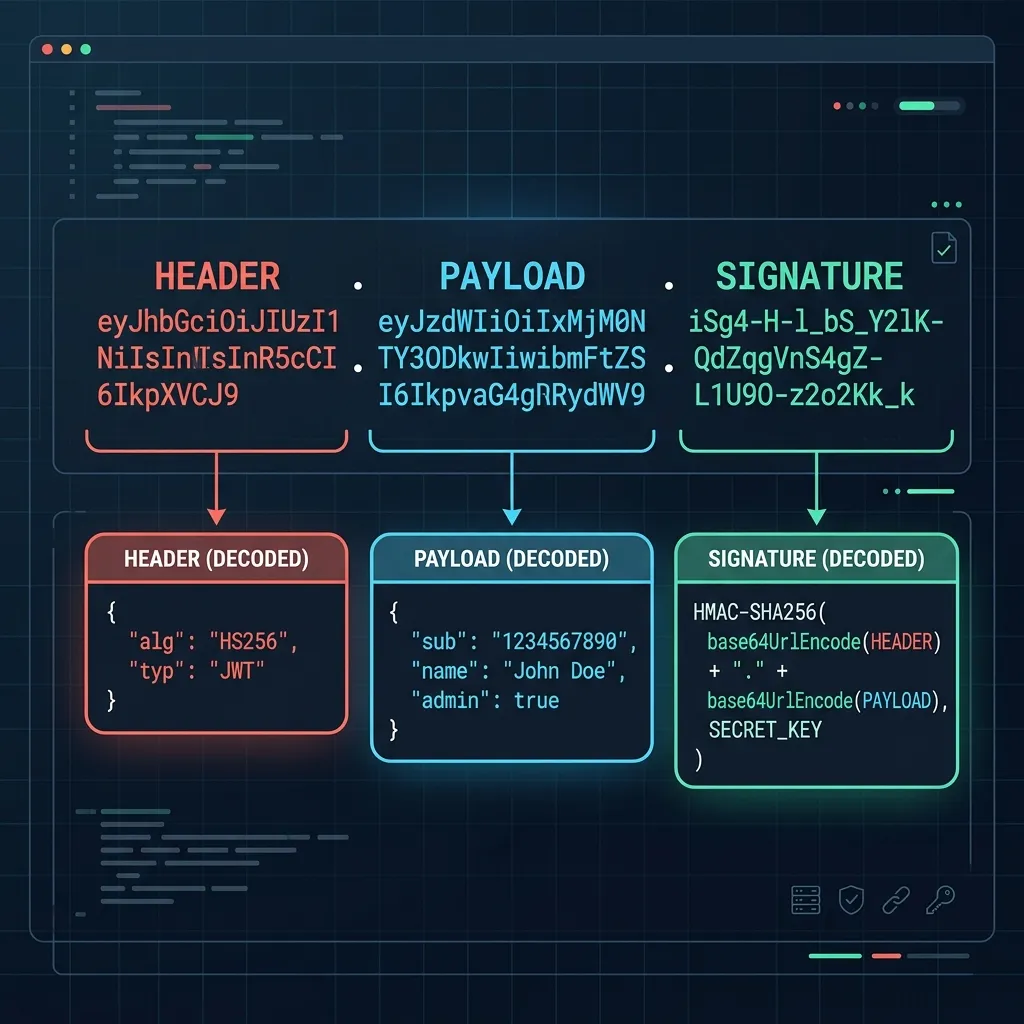
1. Header
The header typically consists of two parts: the type of the token (which is "JWT") and the signing algorithm being used, such as "HS256" (HMAC-SHA256) or "RS256" (RSA).
{
  "alg": "HS256",
  "typ": "JWT"
}
2. Payload
The payload contains the “claims” (data fields). These represent statements about an entity (typically the user) and additional metadata. There are registered claims (like exp for expiration, iss for issuer) and custom claims (like userId or admin).
{
  "sub": "1234567890",
  "name": "John Doe",
  "admin": true,
  "exp": 1784632800
}
3. Signature
The signature is used to verify that the sender of the JWT is who it claims to be and to ensure that the message was not altered along the way. To create the signature, the encoded header, the encoded payload, and a secret key are combined and hashed using the algorithm specified in the header.
[CRITICAL] JWT is NOT Encrypted
The most common security mistake developers make is assuming that JWTs are encrypted and their contents are hidden from third parties.
The Header and Payload are not encrypted; they are simply Base64URL encoded. Anyone who intercepts a JWT can decode the Base64URL string in a fraction of a second without any key. Therefore: The header and payload are plain text.
[!CAUTION] Never place sensitive information—such as passwords, credit card numbers, or private personal data—in a JWT payload. If the token is intercepted or leaked, all of that data becomes instantly readable.
A JWT is designed for integrity (tamper prevention) and authenticity (origin validation), not confidentiality.
Generator & Decoder: How to Use Them
JWT Decoder
Used to debug or inspect an existing JWT. By pasting a token, the tool splits it at the dots, decodes each Base64URL section, and presents the JSON contents in a readable format.
- Try on Torinoa: JWT Decoder
JWT Generator
Used to build mock tokens for testing. You can edit the Header and Payload JSON, input a secret key, choose the HMAC algorithm, and instantly output a validly signed JWT.
- Try on Torinoa: JWT Generator
[!WARNING] Many online JWT generators send your inputs and secret keys to a server, creating a security risk. Torinoa Tools executes all operations locally in your browser. However, for maximum safety, never input actual production secret keys.
Security Best Practices for JWT
1. Keep Your Secret Key Strong
For HMAC algorithms (like HS256), make sure the secret key is long and cryptographically random. Weak or short keys can be easily brute-forced offline. If an attacker discovers the secret key, they can forge administrative tokens and gain unauthorized access.
2. Always Set an Expiration (exp)
Because JWTs are stateless and difficult to invalidate globally on the server side, a leaked token remains valid until it expires. Set a short expiration time (e.g., minutes or hours) to minimize the impact of token theft, and use refresh tokens for longer sessions.
3. Validate the Hashing Algorithm (alg)
Older JWT validation libraries had a vulnerability where changing the header to "alg": "none" (no signature) allowed attackers to bypass signature validation. When implementing verification in your backend, always enforce that the library checks for the specific algorithm you expect (e.g., HS256 or RS256).